 Writeboard
Sign in
Start free
Writeboard
Sign in
Start free
Compare
A BitPaper alternative that keeps the notes
Writeboard is a shared A4 whiteboard for one-to-one tuition where every lesson lands in a book the student keeps. BitPaper is a permanent online whiteboard with calls built in. This page sets the two side by side, in pounds, and says plainly where BitPaper is the better choice.
Updated 11 October 2026. Written by a working tutor; prices and rival features checked 2 September 2026, with the source under each table.
The short answer
If you want the call inside the whiteboard, choose BitPaper. If you want the lesson to become a record (real pages, past papers under ink, homework anchored to a boxed question, a PDF of the term), choose Writeboard. Writeboard is free for two students and £6 a month after, or £5 a month paid yearly; BitPaper's tutor plan is $15 a month.
| Writeboard | BitPaper | |
|---|---|---|
| Price for a tutor | Free for 2 students; £6 a month, or £5 a month paid yearly, for 20 | $15 a month, unlimited papers and calls |
| Students | Free sign-in, username and password, no email needed | Free account, read-only, cannot create papers |
| Calls | Bring your own (Zoom, Meet, FaceTime) | Audio, video, chat and screen sharing built in |
| Pages | Fixed A4 pages in books, a chapter per lesson, page turns | Add, rearrange and duplicate pages within a paper |
| Past papers | PDF imported as pages, fixed under your writing; pick the pages you want | PDF, JPEG and PNG uploads |
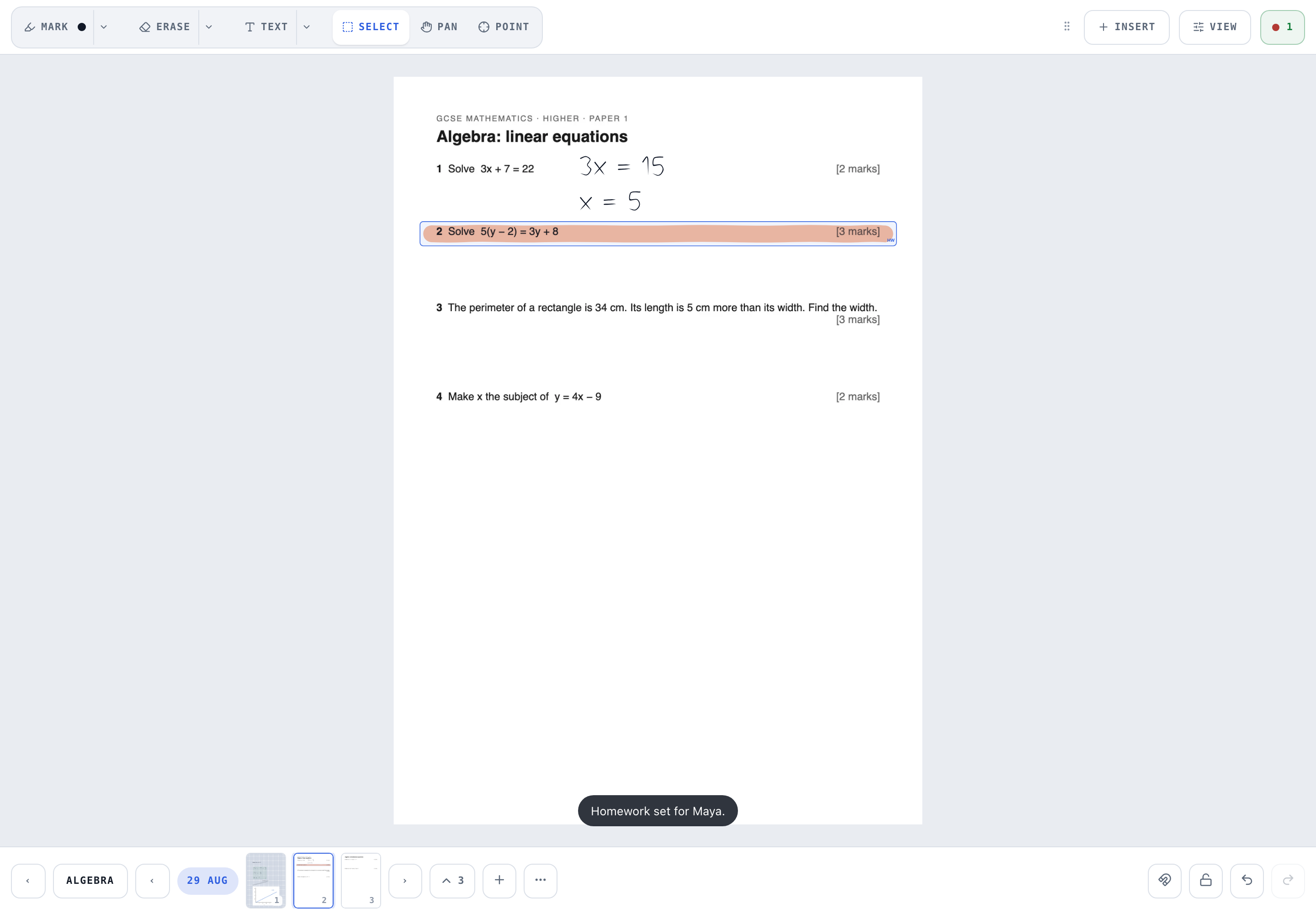
| Homework | Draw a box round a question or add pages from any book, in parts; the student ticks each one; marks add to a score; you get a notification | Not listed |
| Marking | Tick or cross a box of working; it shows on the student's shelf | Not listed |
| Export | Whole book, one chapter or everything since a date, with cover and contents | Export a paper to PDF |
| Permanent link | Per student and per book, read-only or full access, revocable | Every paper has its own permanent URL |
| Maths tools | Protractor, x-y axes, a graph plotter, a scientific calculator that writes onto the page, squared and graph paper | Not listed |
| Where the data lives | London; encrypted backups in the EU; no trackers | Not stated on the pages checked |
| Agency pricing | By students in bands from £39 a month, tutors unlimited, nothing metered | $50 a month plus $1 a paper and $0.20 a call hour |
Sources: bitpaper.io/new-pricing and bitpaper.io/features, checked 2 September 2026. "Not listed" means the feature is not on those pages, not that it does not exist. If we have something wrong, tell us and it will be corrected within a day.
Where BitPaper wins
Two places. The call is inside the paper, so a lesson is one tab and one link; with Writeboard you run the call elsewhere, which most tutors already do on a phone or a second screen, but it is an extra step. And BitPaper's paper is a single permanent URL you can hand to anyone; Writeboard's links are per student and per book, which is more structure than a one-off session needs.
Where Writeboard wins
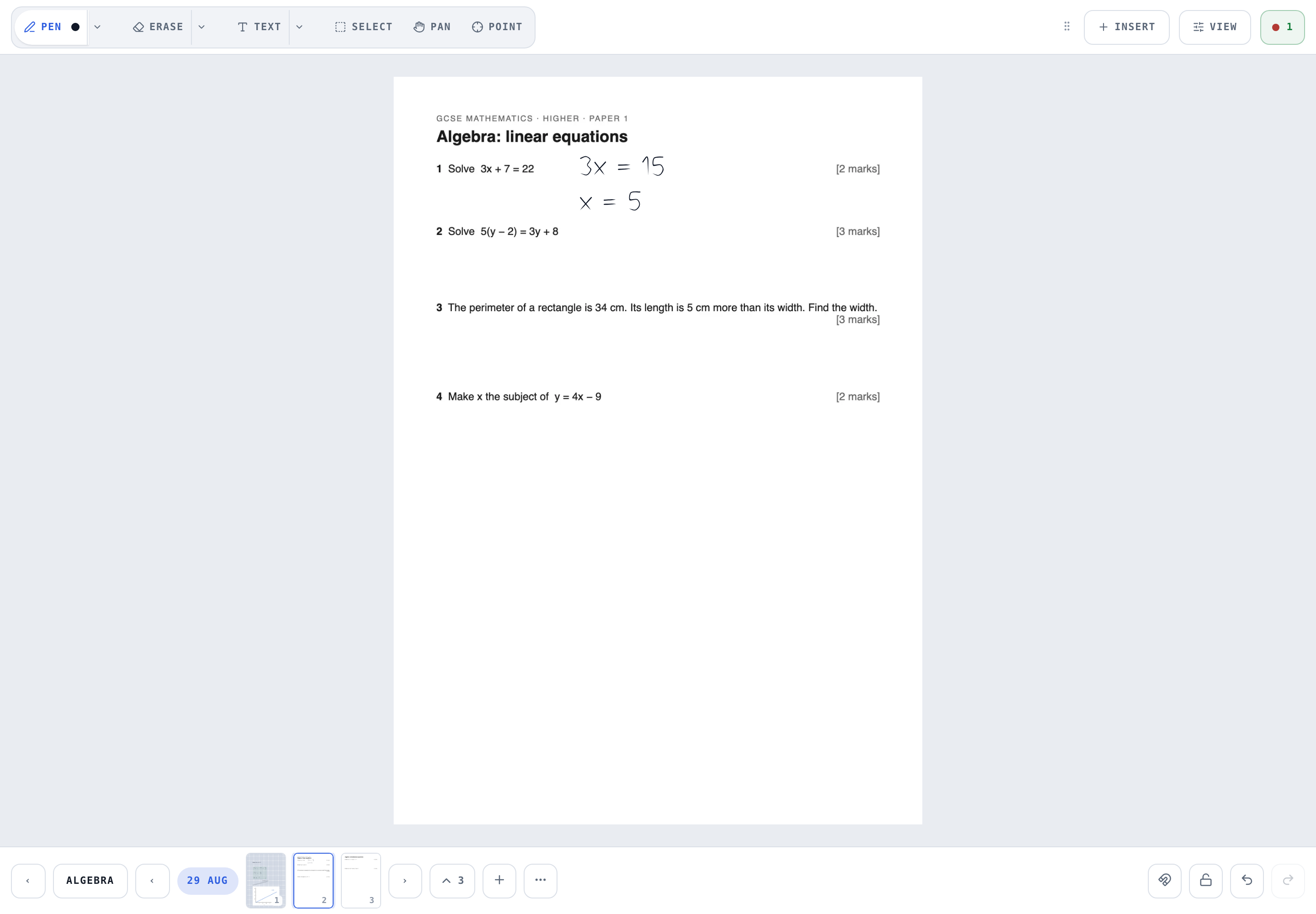
The record. Every lesson is a chapter in a book the student can open on their own shelf, with the past paper still under the ink and the homework attached to the exact question. A term exports as one PDF with a cover and contents. And the price: £6 a month against $15, or nothing at all for two students.
Moving from BitPaper
- Export each paper
In BitPaper, export the paper to PDF.
- Create the student
In Writeboard, add the student and a book for the topic. Invite them with a link or a six-character code.
- Import the PDF
On the board, Insert, then Import a PDF as pages. Pick the pages. They sit under new ink as a locked sheet.
- Carry on
Tap Chapter at the start of the next lesson; it names itself with the date.
Questions tutors ask
Is Writeboard a free BitPaper alternative?
Yes for two students and three books each, with no time limit. BitPaper's tutor plan is $15 a month (about £11.50); Writeboard's paid plan is £6 a month, or £60 a year which works out at £5 a month, for twenty students. Neither charges students.
Does Writeboard have video calls like BitPaper?
No. BitPaper builds audio, video, chat and screen sharing into the paper. Writeboard expects you to run the call on Zoom, Meet, FaceTime or WhatsApp, usually on a second device, and puts everything into the whiteboard itself instead.
Can I move my BitPaper papers into Writeboard?
Export each paper from BitPaper as a PDF, then in Writeboard use Insert, Import a PDF as pages. The pages sit under the ink as a locked sheet, so you can keep writing over your old notes.
Which works better on an iPad with an Apple Pencil?
Both are used with a digital pen; BitPaper says a digital pen is a must. Writeboard is built pencil-first: pressure, palm rejection, a finger-writes-or-pans toggle, and a view lock so the page cannot drift mid-lesson. Try both with your own student; the feel matters more than the feature list.