 Writeboard
Sign in
Start free
Writeboard
Sign in
Start free
For 11+ tutors
A whiteboard for 11+ tutoring that keeps every paper and every mark
11+ preparation is practice papers, marked, week after week, with a parent asking how it is going. Writeboard keeps all of it on real A4 pages: the paper under the ink, the homework in parts, the marks adding up, and a link the parents can open themselves.
Updated 3 October 2026. Written by a working tutor from his own lessons; every screen shown is the real product.
The short answer
Practice papers imported as pages and written on. Homework set in parts, handed in part by part, with marks that add up to a score. A link of their own for parents, and the term as one PDF. Works for the maths papers and the written ones alike, by hand or typed. Free for two students; £6 a month after, or £5 a month paid yearly.
Papers under the ink
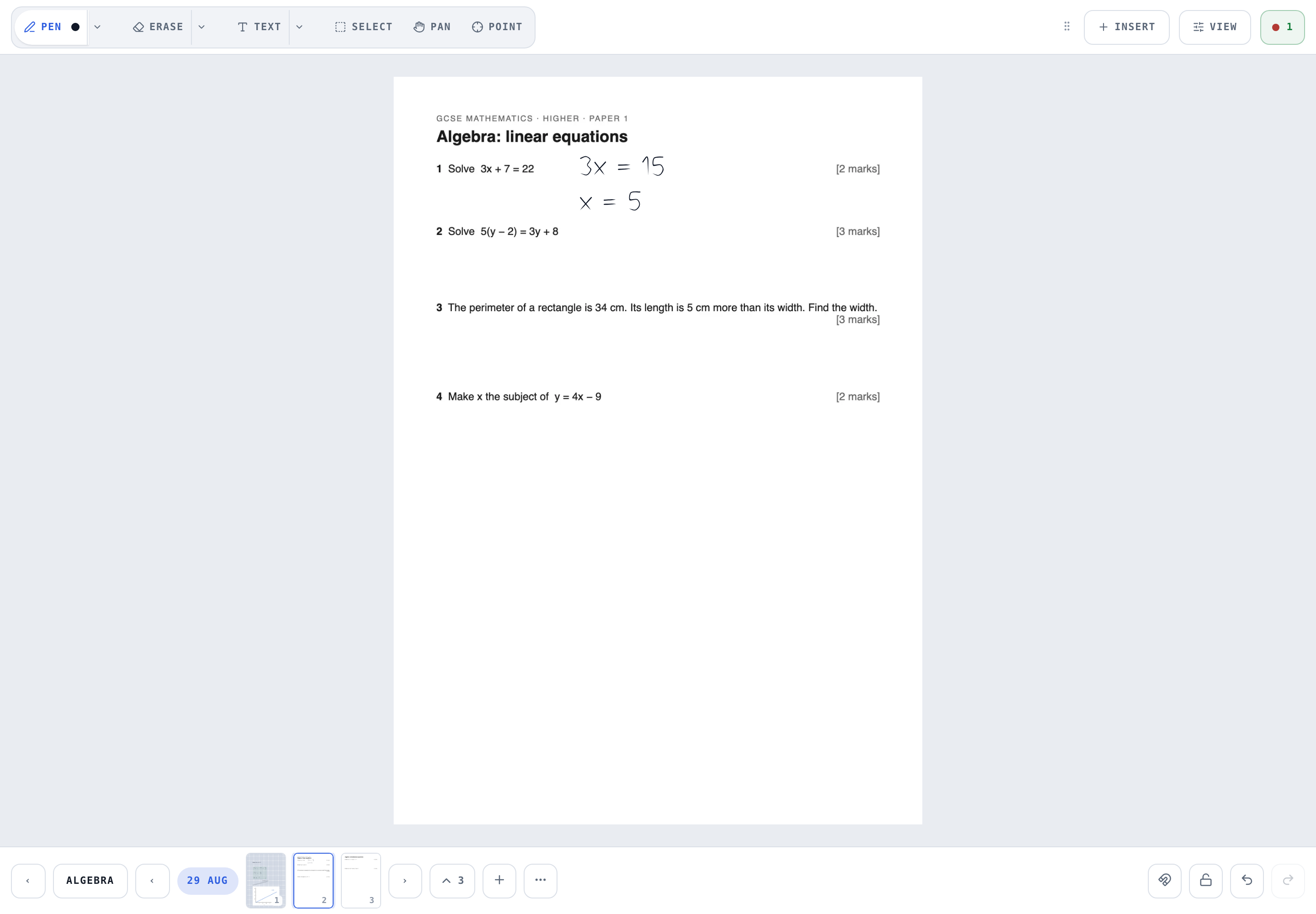
Import the PDF, pick the pages, write on them. The paper stays put; clear the ink and it is still there.
Homework in parts
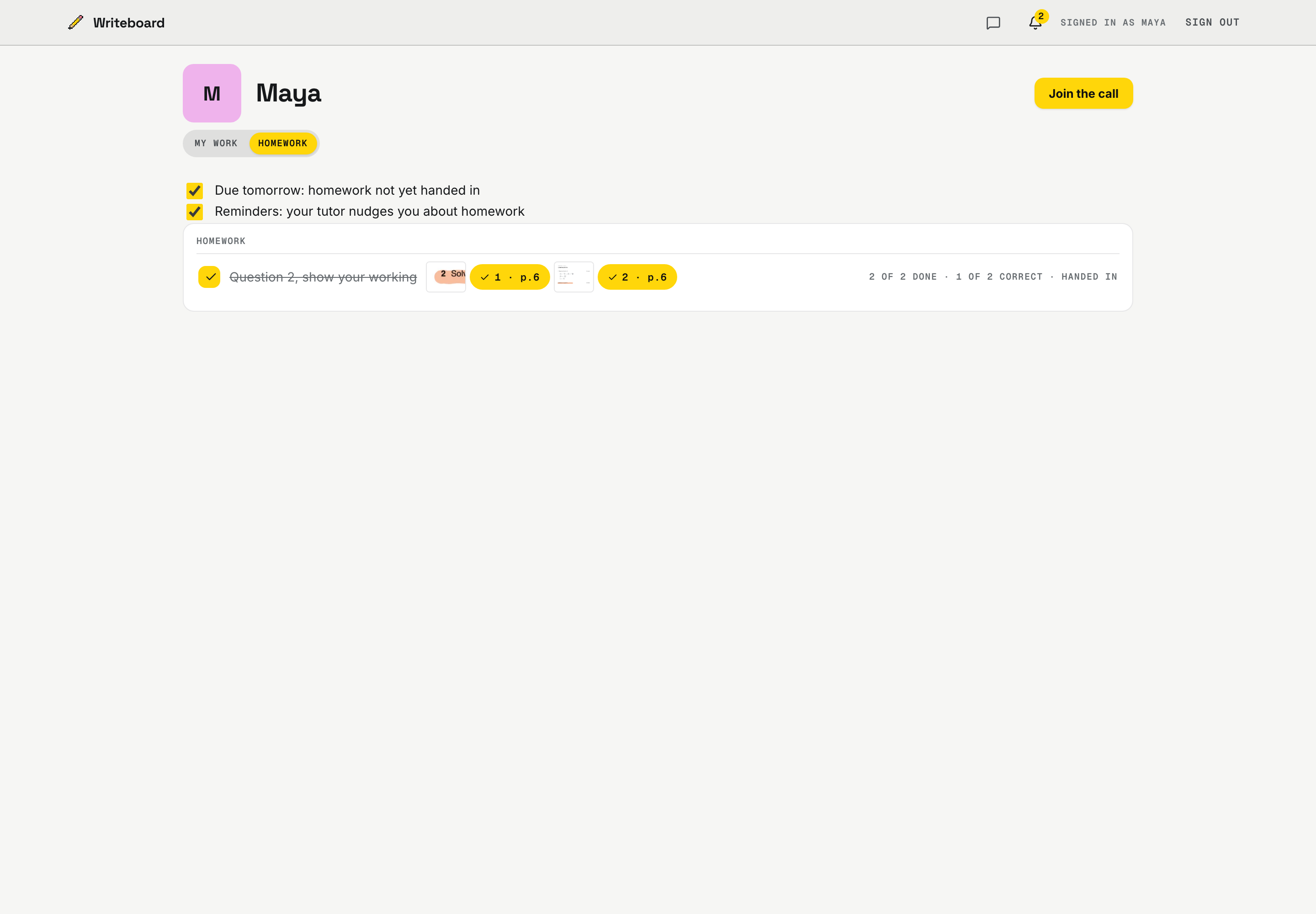
Box questions or add whole pages as parts of one piece of homework, with a due date. The student ticks each part off; the last tick hands it in.
Marks that add up
A tick or a cross inside a part marks it, or give a part a mark out of its total. The score is on the student's shelf.
A link for parents
The next lesson, the reports and the notes you share, on a link of their own. No account to make.
The term as one PDF
Every lesson, in order, as one file to send home or keep.
Every past paper, kept
One book per term or per paper type, a chapter per lesson. Flip back to September's attempt in two taps.
What it does not do
There is no timer, no automatic marking and no bank of past papers. Time a mock on a clock, mark it on the page, and bring your own papers or ones you have the right to use. What Writeboard keeps is the record: every attempt, every mark, in the student's book.
Teaching over Zoom, Meet or Teams
Keep the call you already use; Writeboard is the whiteboard beside it. The student opens the same board on their own device with their own sign-in, and the lesson is in their book when the call ends. More on this on the maths page.
A lesson, start to finish
- Import the paper
Insert, Import a PDF as pages, tick the pages you want for today.
- Work the first question together
Point with the laser, then write the working on the paper itself.
- Set the rest as homework
Box the questions or add whole pages, in parts, with a due date.
- They hand it in, part by part
Each part is a tick on the student's shelf; the last tick hands it in and your bell says so.
- Mark it on the page
Tick, cross or a mark out of the total. The score adds itself up.
- Show the parents
Their link shows what you share; the term goes home as one PDF.
Questions 11+ tutors ask
Can I use 11+ practice papers?
Yes: import the PDF and it becomes pages under the ink. Use your own papers, or ones you have the right to use with a student; Writeboard does not supply a bank of past papers.
Do the marks add up?
Yes. Set a paper as homework in parts; a tick or a cross inside a part marks it, and a part can be marked out of a total, such as 12 out of 20. The student sees the score on their shelf.
Is there a timer for mock papers?
No timer. Time the paper on a clock or a phone and note the time on the page.
What do parents see?
Their own link: the next lesson, the progress reports and the notes you share. The term exports as one PDF.
Do I still need Zoom?
Yes, or Meet, Teams, FaceTime or WhatsApp. Writeboard is the whiteboard beside the call. Put your meeting link in Settings once and every student gets a Join button.
What does it cost?
Free for two students, for as long as you like. After that £6 a month for twenty students, or £5 a month paid yearly. A student never pays.